Are You Tossing E-Waste All Wrong? The Dos and Don’ts That Could Save Our Planet
A dead laptop. A cracked phone. A dusty printer from 2009. Most of us treat old electronics like “regular trash” because, honestly, that’s how it feels: out of sight, out of mind. But electronic waste (e-waste) is one of the fastest-growing waste streams on Earth, and it’s packed with materials that don’t belong in landfills—or in your curbside recycling bin.
In 2022 alone, the world generated 62 billion kilograms of e-waste, and only 22.3% was documented as formally collected and recycled in an environmentally sound way. That gap is more than a statistic—it’s pollution, wasted resources, and preventable harm.
Table of Contents
- What Counts as E-Waste?
- Why Proper E-Waste Disposal Matters
- What’s Inside Electronics (And Why It’s a Problem)
- The Dos of E-Waste Disposal
- The Don’ts of E-Waste Disposal
- A Simple Step-by-Step Plan for Homeowners
- New Jersey E-Waste Rules (Plain-English Guide)
- How JunkDoctors Helps with Electronics Recycling in New Jersey
- E-Waste Disposal FAQ
What Counts as E-Waste?
E-waste is more than “computers and TVs.” A simple way to think about it is:
If it has a plug, a battery, or a circuit board—and you’re done using it—it’s probably e-waste.
Common E-Waste Examples
- Phones, tablets, laptops, desktops
- Monitors, televisions (including older CRT TVs)
- Printers, scanners, fax machines
- Routers, modems, smart-home hubs
- Keyboards, mice, cables, chargers, power strips
- Game consoles, DVD players, stereos, speakers
- Small electronics with rechargeable batteries (toys, tools, earbuds, etc.)
Why Proper E-Waste Disposal Matters
1) Environmental & Health Protection
Many electronics contain hazardous substances and toxic metals. When devices are dumped, burned, crushed, or improperly processed, those substances can leak into soil and water—or enter the air. That risk gets worse when e-waste is handled without safeguards.
2) Fire Prevention (Lithium-Ion Batteries Are a Big Deal)
Rechargeable lithium-ion batteries power everything now—phones, laptops, earbuds, cordless vacuums, scooters, power tools. And here’s the problem:
Lithium-ion batteries and devices containing them should NOT go in household garbage or recycling bins. They can ignite and start fires during collection, transport, or processing.
3) Data Security (Your “Old” Device May Still Contain Your Life)
Most people remember to delete photos. Fewer people remember:
- Saved passwords
- Banking logins
- Two-factor authentication tokens
- Email accounts that auto-sync
- Files stored in “Downloads,” cloud sync folders, or hidden app caches
Before you donate, sell, or recycle electronics, you need a real data-wipe plan—not wishful thinking.
What’s Inside Electronics (And Why It’s a Problem)
Electronics aren’t “just plastic.” They’re complex assemblies that can contain hazardous substances such as:
- Lead
- Mercury
- Cadmium
- Chromium
- Beryllium
- Brominated flame retardants
- Nickel, zinc, and more
Some older televisions and computer monitors with cathode ray tubes (CRTs) can contain significant lead in the glass and may require special handling. This is one reason “smash it and bag it” is never a safe DIY plan for old electronics.
At the same time, e-waste also contains valuable materials that can be recovered and reused—reducing the need for mining and cutting down on wasted resources. In other words: proper recycling protects people and makes better use of materials we’ve already extracted from the Earth.
The Dos of E-Waste Disposal
DO #1: Check Local Rules Before You Move Anything
E-waste rules vary by state and sometimes by county or municipality. Your town may:
- Offer specific e-waste drop-off days
- Require appointments
- Accept only certain device categories
- Ban certain items from curbside pickup
If you’re in New Jersey, there are specific “covered devices” that are banned from disposal in the trash (see the NJ section below).
DO #2: Choose Certified Recyclers When Possible (R2 or e-Stewards)
Not all “electronics recycling” is created equal. Responsible recycling means:
- Materials are processed with proper environmental controls
- Workers are protected
- Data is handled securely
- Downstream vendors are vetted (where materials go after initial processing)
Two widely recognized certification standards are:
- R2 (Responsible Recycling)
- e-Stewards
- Are you certified (R2 or e-Stewards)?
- How do you handle data destruction for storage devices?
- Where do materials go downstream (and do you track that)?
DO #3: Donate or Refurbish Usable Electronics (When It’s Safe)
If a device still works (or is repairable), reuse often beats recycling. Donation can extend product life and reduce demand for new manufacturing—just be sure data is sanitized first.
DO #4: Wipe Data Thoroughly (Not Just “Delete Files”)
A serious standard for data removal is called media sanitization—the goal is to make access to the data infeasible for a given level of effort.
Data-Wipe Checklist (Homeowner-Friendly)
- Back up what you need (photos, documents, contacts)
- Sign out of accounts (Apple ID, Google, Microsoft, streaming apps)
- Remove SIM cards and removable storage (microSD)
- Use the device’s reset/erase function (choose the “full erase” option when available)
- For computers: consider encrypted drives + reset, or professional wipe services for sensitive data
- When in doubt: remove the hard drive/SSD and use a trusted data-destruction service
DO #5: Separate Batteries—Especially Lithium-Ion
If you can safely remove a rechargeable battery, do so—and recycle it through the proper channel. If the battery is swollen, hot, damaged, or leaking, treat it as a safety hazard and contact a proper program for instructions.
Safe Handling Basics
- Do not toss batteries into your trash or recycling bin
- Tape terminals (to reduce short-circuit risk)
- Bag batteries individually when transporting
DO #6: Keep Devices Intact (Don’t Disassemble at Home)
DIY disassembly can expose you to sharp edges, dust, and hazardous components. It can also turn a recyclable device into a messy, unsafe problem—especially with CRT screens.
DO #7: Use Manufacturer Take-Back Programs & Retail Drop-Offs
Many manufacturers and retailers offer take-back options. Community collection events can also make proper disposal easy (and sometimes free).
The Don’ts of E-Waste Disposal
- DON’T throw electronics in regular trash (or pretend they’re “just plastic”).
- DON’T put electronics in curbside recycling bins unless your local program explicitly allows it.
- DON’T toss lithium-ion batteries or battery-powered devices into household garbage or recycling bins.
- DON’T hoard old electronics indefinitely (it becomes clutter, a fire risk, and a data risk).
- DON’T ignore data wiping—factory resets help, but your goal is true sanitization.
- DON’T use sketchy “free pickup” offers that can’t explain where the electronics end up.
- DON’T smash CRT TVs/monitors or break screens to “make them fit.”
A Simple Step-by-Step Plan for Homeowners
Step 1: Sort Your Electronics into 3 Piles
- Reuse/Donate (still works or can be refurbished)
- Recycle (broken, outdated, or not worth repairing)
- Special Handling (batteries, CRT TVs/monitors, anything damaged/swollen)
Step 2: Secure Your Data
- Sanitize phones/tablets/laptops before they leave your home
- Remove storage drives for extra safety if you’re unsure
- Document what you did (especially for business devices)
Step 3: Choose the Best Disposal Path
| Item Type | Best Option | Avoid |
|---|---|---|
| Working laptop/phone | Donate or trade-in (after data wipe) | Giving it away without sanitizing |
| Broken electronics | Certified recycler (R2/e-Stewards) or local program | Trash or curbside recycling bin |
| Lithium-ion batteries | Battery recycling / HHW drop-off | Any household garbage/recycling bin |
| CRT TV/monitor | Approved e-waste program / recycler | Breaking it, dumping it, DIY disassembly |
New Jersey E-Waste Rules (Plain-English Guide)
New Jersey is not a “throw it in the trash” state when it comes to key electronics. Under the state’s electronics waste framework, certain devices are classified as covered electronic devices, and there’s a disposal ban for those items.
What Devices Are “Covered” in New Jersey?
The definition of a covered electronic device includes:
- Desktop or personal computer
- Computer monitor
- Portable computer (laptop)
- Desktop printer
- Desktop fax machine
- Television
Can You Put Covered Electronics in the Trash in NJ?
No. Covered devices are banned from being disposed of in the garbage. Many NJ programs are designed so consumers can access free drop-off options funded through manufacturer take-back requirements.
What About “Non-Covered” Electronics?
Some items (like certain accessories, wires, small gadgets, or appliances) may not fall under the “covered device” category. Your local program may still accept them, but if it doesn’t, you may need to:
- Find a retailer/manufacturer program that takes them
- Use a private electronics recycling service
- Follow your local waste authority’s guidance (and remove batteries first)
How JunkDoctors Helps with Electronics Recycling in New Jersey
If you want a simple, done-for-you option (especially for bulky items like TVs, multiple computers, or a whole pile of outdated tech), a pickup service can be the difference between “I’ll handle it someday” and “It’s gone safely today.”
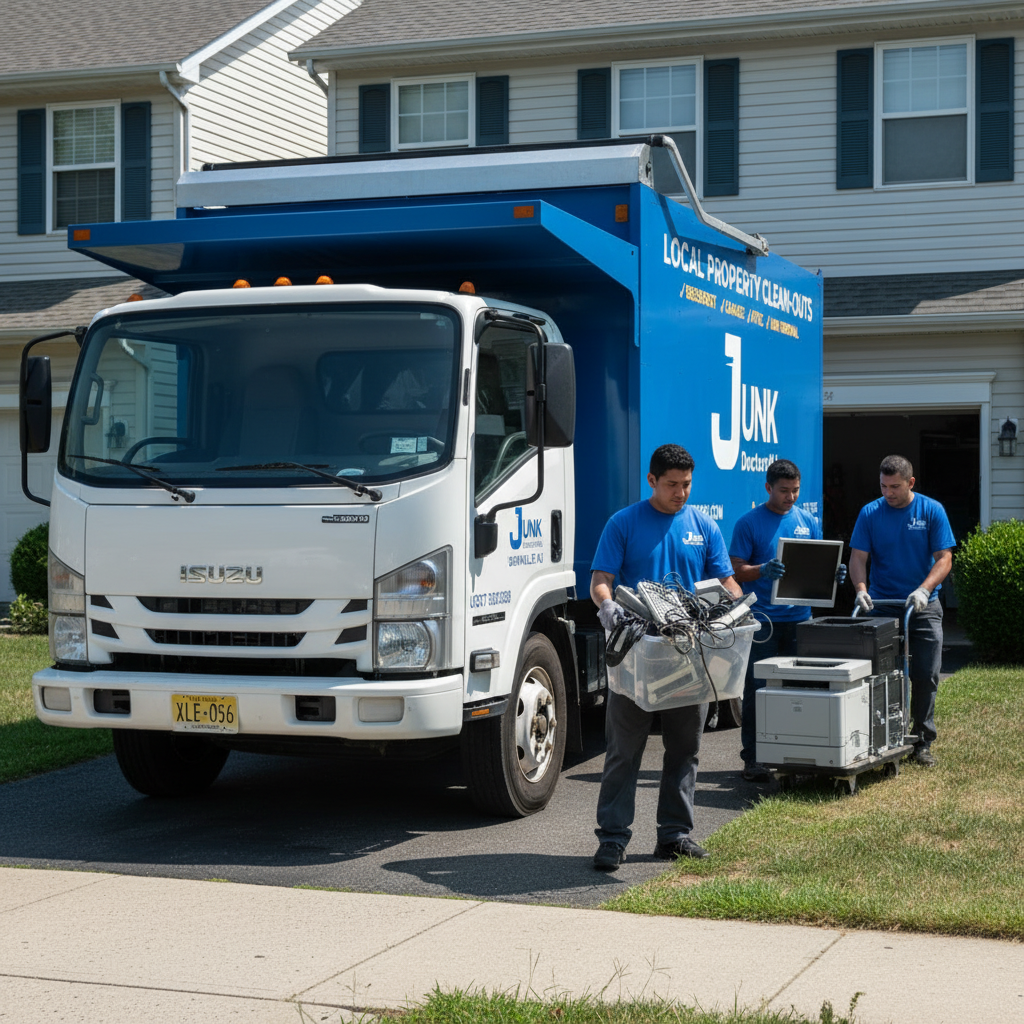
JunkDoctors provides electronics removal and recycling services in New Jersey. Their process includes pickup from your home, with the goal of sending electronics for donation (when functional) or refurbishment/recycling through appropriate channels.
Call 973-336-8083 for a free estimate or visit JunkDoctors Electronics Recycling.
E-Waste Disposal FAQ
Can I put electronics in my curbside recycling bin?
Usually no. Most curbside programs are not designed for electronics. Use a dedicated e-waste program, retailer drop-off, or pickup service.
Is it really dangerous to throw electronics in the trash?
It can be. Electronics may contain toxic substances, and battery-powered devices (especially lithium-ion) can create fire hazards in trucks and facilities.
What if I don’t know how to wipe my old computer?
If you’re unsure, you have safer options:
- Remove the hard drive/SSD and store it
- Use a professional recycler or ITAD provider that offers documented data destruction
- Choose certified partners that prioritize data security
What about old CRT TVs?
Old CRT TVs/monitors can contain significant lead in the glass and may require special handling. Don’t break them. Use an approved recycling path.
Is e-waste recycling free in New Jersey?
For many covered devices, New Jersey’s system is designed to provide consumers access to free drop-off options through manufacturer-funded programs. Availability and accepted items can vary by location, so check locally.
Conclusion: The Planet Doesn’t Need Your Old Phone in a Landfill
Most e-waste mistakes come from a good place: you’re trying to clean up, declutter, and move on. But because electronics combine hazardous materials, valuable resources, battery fire risks, and personal data, they require a smarter exit plan than “toss it.”
If you remember just three things, make it these:
- Don’t trash electronics or lithium-ion batteries.
- Sanitize your data before anything leaves your home.
- Use certified or clearly responsible recycling paths whenever possible.
When you dispose of electronics the right way, you’re protecting your home, your community, and the environment—without the guilt, the confusion, or the risk.
Sources & Further Reading
- ITU/UNITAR — The Global E-waste Monitor 2024 (global statistics)
- U.S. EPA — Cleaning Up Electronic Waste (E-Waste)
- U.S. EPA — Used Lithium-Ion Batteries (consumer disposal guidance)
- NIST SP 800-88 Rev. 2 — Guidelines for Media Sanitization
- Long Branch, NJ — NJ Electronics Waste Management Act overview
- NJ Revised Statutes — Definition of “Covered Electronic Device”
- MCMUA — NJ Electronics (E-Waste) FAQ and disposal guidance
- U.S. EPA — Hazardous substances commonly found in electronics
- SERI — R2 Certification (find certified facilities)
- Basel Action Network — e-Stewards Standard overview
- JunkDoctors — Electronics Recycling in New Jersey