Declutter Your Business and Get Results Now: 10 Proven Steps
Clutter isn’t just a household problem—it’s a business problem. When workspaces fill up with outdated equipment, excess inventory, old paperwork, broken furniture, and “we might need this someday” items, it quietly drains time, energy, and profit.
The fastest-growing companies don’t necessarily work harder—they remove friction. And one of the quickest ways to remove friction is to follow a repeatable system of business decluttering steps that makes your workspace easier to run, safer to operate, and better for employees and customers.
This is a full “skyscraper” guide: detailed, actionable, and designed to help you get real results—without turning your office, warehouse, shop, or back room into a bigger mess.
Table of Contents
- Why Declutter Your Business?
- What “Business Clutter” Really Looks Like
- Before You Start: Data, Compliance, and Safety
- Step 1: Audit Your Workspace (The 30-Minute Walkthrough)
- Step 2: Prioritize High-Impact Zones
- Step 3: Set Clear Goals (And Make Them Measurable)
- Step 4: Schedule Decluttering Like a Real Project
- Step 5: Create a Sorting System That Prevents Decision Paralysis
- Step 6: Fix Paper Clutter (Without Accidentally Tossing Something Important)
- Step 7: Declutter Digitally (Because Digital Mess Is Still Mess)
- Step 8: Streamline Inventory and Supplies
- Step 9: Redesign the Layout for Flow (Not Storage)
- Step 10: Lock It In With a Clutter-Free Culture
- When to Bring in Professional Help (And What to Outsource)
- Business Decluttering Checklist (Copy/Paste)
- FAQ
Why Declutter Your Business?
Clutter hits businesses in three ways: time, money, and reputation.
- Time: People waste minutes every day searching for supplies, documents, tools, and inventory that are “somewhere.” Minutes become hours. Hours become payroll.
- Money: Overstocked supplies expire. Duplicate purchases happen because nobody can find what you already own. Storage costs grow. Damaged goods increase.
- Reputation: A cluttered front office, stockroom, or storefront signals disorganization—whether that’s fair or not. Customers feel it. Clients notice it.
Decluttering doesn’t just “make it look nice.” It improves operations. It reduces stress. It speeds up work. It can even reduce safety hazards and insurance risks.
What “Business Clutter” Really Looks Like
Business clutter usually falls into predictable categories. If you name it, you can fix it.
Physical clutter
- Old office furniture, broken chairs, unused desks, damaged shelving
- Obsolete electronics (monitors, PCs, printers, routers, cords)
- Paper stacks: invoices, receipts, contracts, old HR files
- Excess inventory, dead stock, outdated packaging
- Trade show materials, signage, outdated marketing items
- “Project leftovers” from renovations or builds (tile, drywall, fixtures)
Digital clutter
- Messy shared drives and duplicate folders
- Desktops filled with random files
- Unclear naming conventions (“Final_v7_REALfinal.pdf”)
- Overloaded inboxes that function as filing cabinets
A strong set of business decluttering steps addresses both—because physical clutter slows the body, while digital clutter slows the brain.
Before You Start: Data, Compliance, and Safety
Before you throw anything out, protect your business. The costliest decluttering mistakes aren’t “oops, we donated a stapler.” They’re compliance and security mistakes.
1) Document retention and legal requirements
Don’t purge contracts, tax records, HR files, or sensitive documents without a retention policy. If you’re unsure, consult your accountant, attorney, or compliance lead. When in doubt, box and label for review rather than trashing.
2) Data security
Old computers and drives can contain passwords, customer data, banking details, and employee information. Before recycling or disposing, plan for proper data wiping or certified destruction.
3) Workplace safety basics
- Keep exits and walkways clear
- Don’t stack heavy items overhead without secure storage
- Separate chemicals and hazardous materials (if applicable)
- Use gloves and PPE when handling dusty, sharp, or unknown materials
Step 1: Audit Your Workspace (The 30-Minute Walkthrough)
Start with a simple walkthrough—no cleaning yet. Your job is to identify “clutter hotspots” and what they cost you.
Do this now
- Walk the space with your phone and take photos
- Mark the top 10 clutter zones (front desk, back room, storage closets, warehouse aisles, copy room)
- Write down what’s blocking function (e.g., “can’t access inventory,” “printer area unusable,” “break room always messy”)
Look for friction clues
- People moving piles to do basic tasks
- Supplies stored far from where they’re used
- Duplicate items (extra keyboards, cables, toner)
- “Temporary” stacks that never move
This audit becomes your baseline. You can’t improve what you can’t see.
Step 2: Prioritize High-Impact Zones
Not all clutter is equal. Some clutter is annoying. Some clutter is expensive.
Prioritize based on impact
- Revenue zones: customer-facing areas, sales floor, reception, conference rooms
- Operational zones: shipping, receiving, inventory storage, tool areas
- Safety zones: exits, electrical panels, fire equipment access, walkways
Choose one high-impact zone to finish first. A completed zone builds momentum and proves the process works.
Step 3: Set Clear Goals (And Make Them Measurable)
“Get organized” is not a goal. It’s a wish. Make your declutter goal measurable.
Examples of business decluttering goals
- Clear 200 sq ft of storage space
- Reduce paper storage by 50%
- Cut time spent finding supplies by 30%
- Remove all obsolete electronics from the back room
- Eliminate dead stock older than 18 months (unless justified)
Pick 1–2 success metrics
- Square footage regained
- Number of boxes removed
- Number of shelves cleared
- Inventory accuracy improvements
- Employee time saved (estimated)
Clarity makes decisions easier. Easier decisions mean faster execution.
Step 4: Schedule Decluttering Like a Real Project
Decluttering fails when it’s treated as “whenever we have time.” You won’t. Schedule it like a client meeting—because it protects your bottom line.
Two scheduling models that work
Option A: The 1-Day Sprint
- Best for: small offices, retail back rooms, single-zone cleanouts
- Plan: 2–4 hours sorting + 1–2 hours hauling + final reset
Option B: The 2-Week System Reset
- Best for: warehouses, multi-room offices, large inventory spaces
- Plan: 45–60 minutes per day, rotating zones, with one final haul-away day
Assign roles (even if you’re small)
- Owner: final decisions for ambiguous items
- Runner: brings supplies, labels, moves items
- Sorter: categorizes and labels
- Recorder: notes what gets removed, donated, or archived
When everyone “helps,” nobody owns it. Ownership finishes projects.
Step 5: Create a Sorting System That Prevents Decision Paralysis
This is where most teams stall. The fix is a simple sorting system with clear rules.
Use the 7-zone business sorting system
- KEEP (Here): used weekly or essential
- KEEP (Relocate): used monthly/seasonally, belongs elsewhere
- DONATE / SELL: usable, no longer needed
- RECYCLE: cardboard, metal, eligible materials
- E-WASTE: electronics, cords, printers, monitors
- SHRED: sensitive documents
- TRASH: broken, contaminated, non-recoverable
The “quarantine box” rule
If an item triggers debate, it goes into a labeled Quarantine Box with a deadline (e.g., 14 days). If nobody claims it with a real reason, it leaves. This prevents one stubborn item from stopping the whole cleanout.
Step 6: Fix Paper Clutter (Without Accidentally Tossing Something Important)
Paper clutter is dangerous because it looks harmless—until you throw out the wrong thing. Your goal is not “paperless.” Your goal is retrievable.
Paper decluttering rules that work
- Separate sensitive vs non-sensitive immediately
- Create a simple retention box system (e.g., “Tax,” “Contracts,” “HR,” “Vendors,” “Operations”)
- Scan what you truly need (then store it consistently)
- Shred what contains personal or financial data
Simple filing structure (small business friendly)
- 00_Admin
- 01_Finance
- 02_HR
- 03_Sales
- 04_Operations
- 05_Vendors
- 99_Archive
If you can’t find a document in 60 seconds, your system isn’t a system yet.
Step 7: Declutter Digitally (Because Digital Mess Is Still Mess)
Digital clutter is invisible drag. It increases mistakes, slows onboarding, and turns collaboration into confusion.
Start with “high-friction” digital clutter
- Desktops: move everything into real folders
- Downloads: delete junk, file what matters
- Shared drives: remove duplicates and unclear folders
- Email: archive, unsubscribe, and set a basic structure
Use a naming convention everyone can follow
Try: YYYY-MM-DD_Client_Project_DocumentType_V1
Example: 2025-12-31_Acme_Storefront_Renovation_Invoice_V1.pdf
One rule that reduces chaos fast
If a file matters, it should live in one shared location—not in five people’s inboxes.
Step 8: Streamline Inventory and Supplies
Inventory clutter is profit clutter. Dead stock ties up cash and space.
Do an inventory “truth scan”
- What hasn’t moved in 6, 12, 18 months?
- What is damaged, outdated, or unsellable?
- What is duplicated because nobody can find it?
Use simple controls (no fancy software required)
- Par levels: set minimum/maximum quantities for supplies
- One-bin reorder system: when the bin hits a line, reorder
- FIFO: first in, first out for dated supplies
- Label everything: unlabeled shelves become junk magnets
You’re not just clearing space—you’re reducing future clutter creation.
Step 9: Redesign the Layout for Flow (Not Storage)
Most workspaces become cluttered because layout forces bad habits. Fix the layout and the clutter problem shrinks.
Fast layout improvements
- Move frequently used items within arm’s reach of where they’re used
- Store heavy items waist-high (not floor, not overhead)
- Create “homes” for every category: shipping supplies, tools, cleaning, marketing
- Use vertical storage (shelving, wall hooks) to protect floor space
The “clear floor” principle
Floors are for movement and safety—not long-term storage. If your floor is full, your workflow is paying the price.
Step 10: Lock It In With a Clutter-Free Culture
The cleanout is the easy part. The culture is what keeps it clean.
Create lightweight habits that stick
- Daily 5-minute reset: end-of-day quick tidy
- Weekly 15-minute zone check: one area per week
- Monthly “one box out” rule: donate/recycle/trash one box
- One-in, one-out: new item comes in, old one leaves
Make it easy for employees
- Provide bins, labels, and storage tools
- Define what “clean” means (photos help)
- Assign ownership by area (not “everyone”)
If clutter keeps returning, it’s not a motivation problem—it’s a systems problem.
When to Bring in Professional Help (And What to Outsource)
Sometimes, the best business decision is outsourcing the heavy lifting so your team can keep running the business.
Hire help when
- You have large volumes (years of accumulation, storage rooms, warehouses)
- You need speed (move-out, inspection, renovation, new lease)
- There’s heavy lifting (furniture, fixtures, equipment, pallets)
- Disposal is complicated (e-waste piles, bulky items, mixed debris)
What to outsource vs. what to keep in-house
| Keep In-House | Consider Outsourcing |
|---|---|
| Decision-making on what stays | Hauling bulky junk and furniture removal |
| Sorting papers for “keep vs shred” | Large-volume bagging, loading, and disposal logistics |
| Digital cleanup and file standards | Commercial cleanouts and fast space resets |
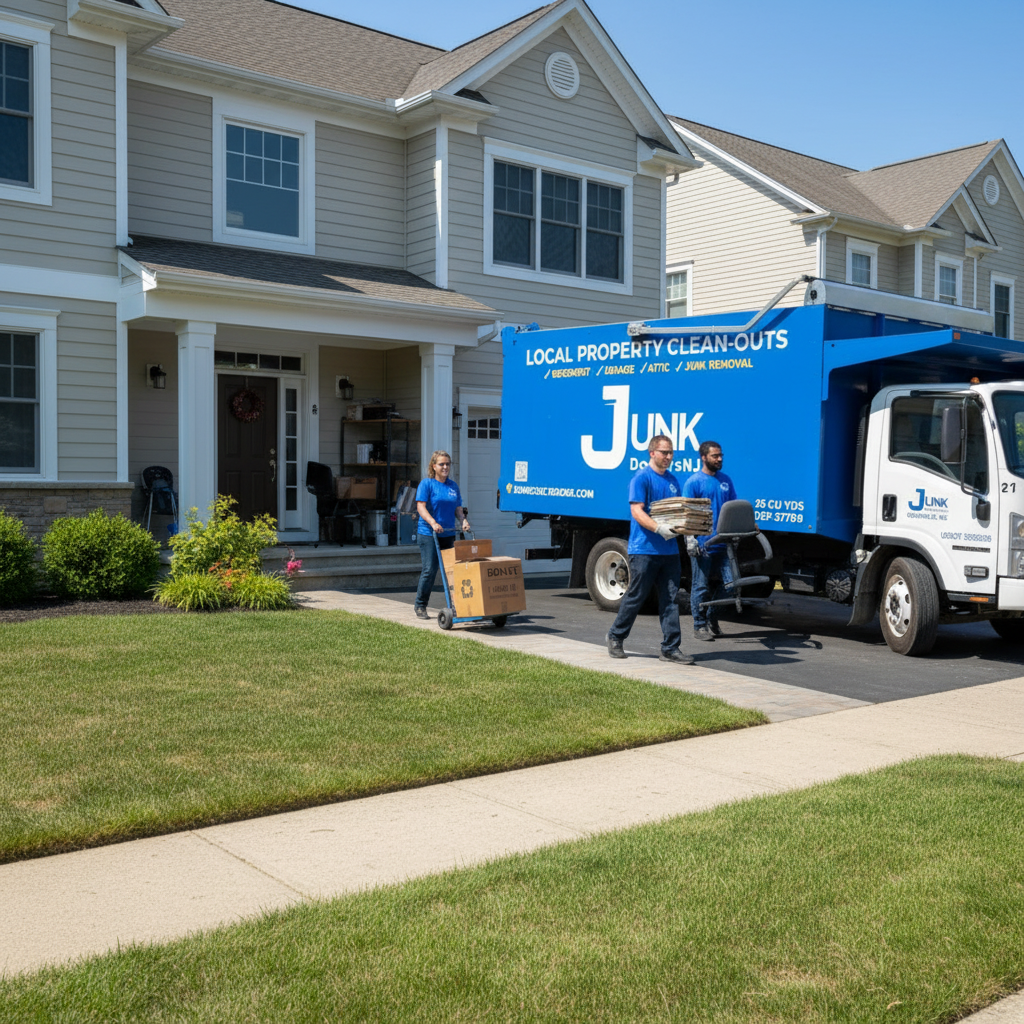
New Jersey option: Junk Doctors NJ
If you’re in New Jersey and want the cleanout handled quickly, a professional junk removal team can remove bulky items, old office furniture, excess materials, and general commercial clutter so your team can focus on business.
Junk Doctors NJ serves businesses across North and Central New Jersey (including Bergen, Essex, Morris, Union, and surrounding areas). For a cleanout quote or consultation, call 973-336-8083.
Business Decluttering Checklist (Copy/Paste)
- Audit: Take photos + list top 10 clutter zones
- Choose 1 zone: Start with highest impact (revenue/operations/safety)
- Set a metric: sq ft regained / boxes removed / shelf space cleared
- Schedule: 1-day sprint or 2-week reset
- Assign roles: owner, sorter, runner, recorder
- Sort into zones: keep, relocate, donate/sell, recycle, e-waste, shred, trash
- Paper plan: retention boxes + shred sensitive docs
- Digital plan: naming convention + folder structure + reduce duplicates
- Inventory plan: dead stock review + par levels + labeling
- Layout reset: tools/supplies near point-of-use + clear floors
- Maintenance: daily reset + weekly check + monthly “one box out”
- Haul-away day: donation drop-off + recycling + pickup service if needed
FAQ
How long does it take to declutter a business?
Small offices can see meaningful results in a single day. Larger spaces (warehouses, multi-room commercial units) typically need a multi-day plan or a 2-week reset with scheduled daily blocks. The biggest variable is how quickly you can remove outgoing items (donation, recycling, hauling).
What’s the #1 mistake businesses make when decluttering?
They start without an “exit plan.” If you sort everything but don’t schedule donation/recycling pickup or haul-away, piles linger and the space re-clutters. Always plan removal logistics before you begin.
Should we digitize everything to eliminate paper?
Not necessarily. Digitize what you truly need and can store consistently. The goal is retrievable records—not an expensive scanning project that creates digital chaos.
How do we get employees to keep it clean?
Make it easy and specific: clear ownership by zone, labeled storage, a 5-minute end-of-day reset, and a weekly quick-check rotation. “Everyone keep it clean” doesn’t work. Systems do.
When should we hire a professional cleanout service?
Hire help when time is more expensive than hauling, when volume is large, or when safety/heavy lifting is involved. Many businesses handle sorting internally and outsource removal to stay productive.
Conclusion: Declutter Once, Then Let the System Do the Work
Decluttering is not a one-time cleaning spree—it’s a business system. When you follow proven business decluttering steps, you don’t just clear space; you reduce friction, improve workflow, and create a workplace that employees and customers feel good inside.
Start with one high-impact zone. Finish it. Build momentum. Then expand. And if you need fast, professional haul-away help in New Jersey, call Junk Doctors NJ at 973-336-8083.